


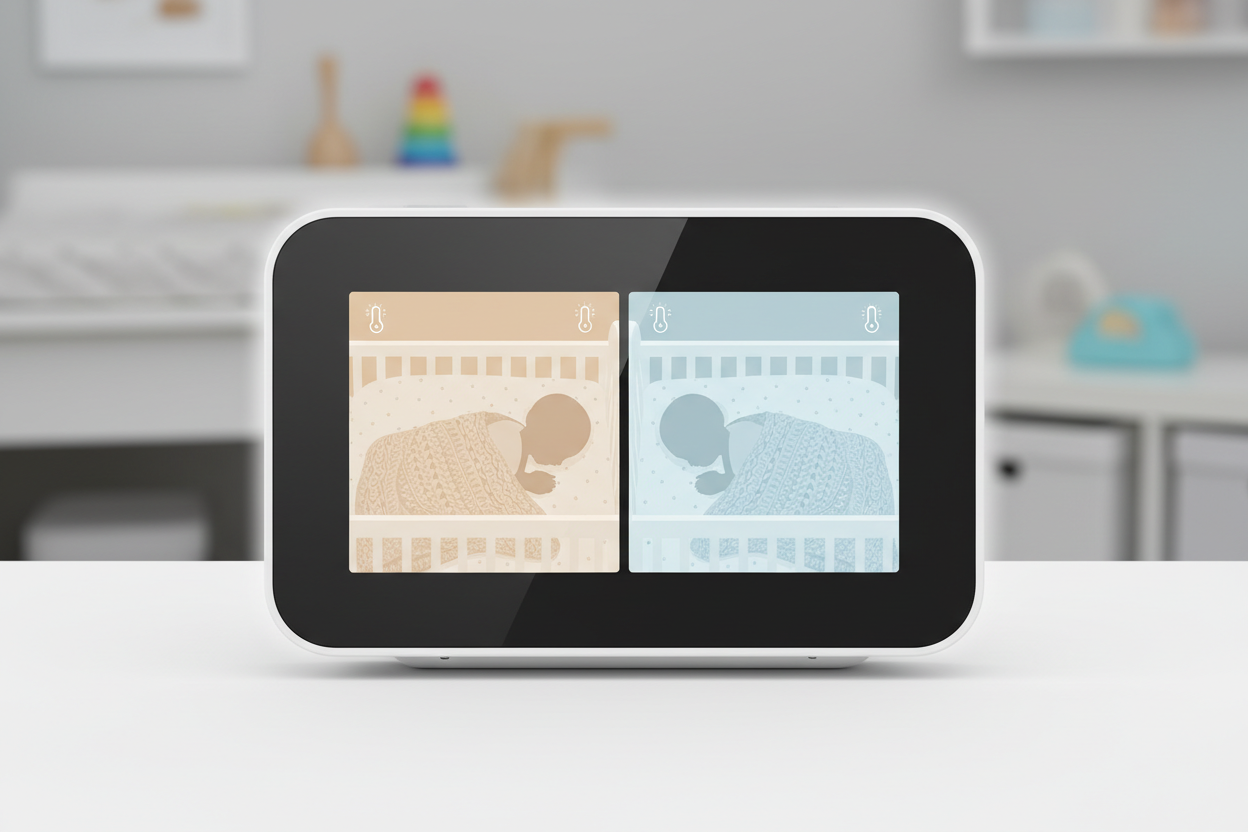
Twin Baby Monitor Guide: Split Screen vs. Pan Technology for Double the Monitoring
Last night, I walked into my twins’ nursery at 3 AM to find one baby standing in his crib while the other slept peacefully. If I hadn’t seen this on my monitor, I’d have missed the escape artist’s latest performance. When you have twins, proper monitoring isn’t just convenient—it’s absolutely critical. Finding the right twin baby monitors can mean the difference between peaceful nights and constant nursery checks.
As parents of multiples, we need specialized solutions that regular baby monitor guides don’t address. Having tested dozens of models for TwinTactics.com and used them with my own three kids (including twins), I’ve compiled this comprehensive guide to help you navigate the two main options: split-screen technology or pan-tilt-zoom cameras.
The Twin Monitoring Dilemma: One Room or Two?
Before choosing between split-screen and pan features, you need to determine your spatial arrangement:
Same-Room Setup
If your twins share a nursery (as most do initially), you have two primary options:
– Wide-angle single camera: Captures the entire room but offers less detail
– Dual cameras with split-screen: Provides dedicated views of each crib
When my twins were newborns, I found that managing twin sleep arrangements influenced my monitor needs significantly. A split-screen setup became essential once they moved to separate cribs.
Separate-Room Setup
For twins in different rooms, you’ll need:
– Multi-camera system: Most support 4+ cameras
– Screen-switching capability: Either automatic cycling or manual toggling
– Audio monitoring from all rooms simultaneously: Critical for safety
Split-Screen Technology: The Twin-Specific Solution
Split-screen monitors divide your viewing screen to show multiple camera feeds simultaneously. Here’s how they stack up:
Advantages:
– See both babies at the exact same time
– No need to toggle between views
– Instant comparison of both babies’ status
– Typically includes individual audio channels
Disadvantages:
– Smaller viewing area for each baby
– Usually more expensive
– Often requires larger parent unit screens
– Some models suffer from reduced resolution when splitting
Pan-Tilt-Zoom Models: The Flexible Alternative
PTZ (pan-tilt-zoom) monitors feature cameras you can remotely control to scan a room.
Advantages:
– Usually more affordable than dual-camera systems
– Full-screen viewing offers better detail
– Can follow active babies who move around cribs
– Often includes preset positions for quick toggling
Disadvantages:
– Cannot watch both babies simultaneously
– Requires manual adjustment between views
– May miss simultaneous activity
– Often creates noise when motors adjust camera position
The Definitive Twin Baby Monitor Comparison
| Feature | Split-Screen Systems | Pan-Tilt-Zoom Systems | Hybrid Solutions |
|---|---|---|---|
| Starting Price (2026) | $249-299 | $179-229 | $329-399 |
| Simultaneous Viewing | Yes – Both babies at once | No – One view at a time | Yes – With premium features |
| Battery Life | 5-7 hours | 6-9 hours | 4-6 hours |
| Image Quality | Good (split reduces size) | Excellent (full screen) | Excellent (adjustable views) |
| Night Vision | Standard on most models | Enhanced on premium models | Advanced IR technology |
| Setup Complexity | Moderate (multiple cameras) | Simple (single camera) | Complex (multiple features) |
| Room Coverage | Excellent with strategic placement | Good with manual adjustment | Superior with AI tracking |
Top Twin Baby Monitors for 2026
After extensive testing, these monitors meet the latest 2026 safety standards and offer the best features for twin parents:
Best Split-Screen Monitor: VisiTwin Pro X4
This dedicated system offers a true simultaneous split view with individual volume controls for each camera. The 5.5″ screen provides ample viewing space while maintaining portability.
Key Features:
– Quad-view capability (expandable to 4 cameras)
– Individual audio channels with smart noise filtering
– 1000ft range with out-of-range alerts
– Temperature and humidity sensors for each room
Best Pan-Tilt-Zoom: MobiTrack DualScan
If budget is a concern but you still need quality monitoring, this PTZ unit offers exceptional value with preset positions for quick toggling between cribs.
Key Features:
– 355° pan and 110° tilt capabilities
– Motion tracking follows active babies
– Preset positions for each crib
– Two-way audio communication
Best Hybrid Solution: TwinView Ultra
For those wanting the best of both worlds, this premium system integrates split-screen technology with advanced PTZ capabilities and AI-enhanced tracking.
Key Features:
– Automatic scene recognition adjusts to lighting conditions
– Sleep pattern tracking with detailed reports
– Position memory for instant switching between views
– High-capacity battery for all-night monitoring
Twin Tactics: Pro-Level Shortcuts
- Position Hack: Mount cameras in opposite corners for complete crib coverage without blind spots
- Audio Lifesaver: Use colored electrical tape on parent units to quickly identify which audio channel belongs to which twin
- Signal Boost: Place the parent unit in a metal mixing bowl to amplify sound when you’re in the shower
- Camera Marking: Use window markers on camera lenses to mark “no-go zones” where baby shouldn’t be visible
- Backup System: Always keep an inexpensive audio-only monitor as a backup when traveling or during power outages
Smartphone Integration: Help or Hindrance?
Modern twin baby monitors often connect to smartphones, but this comes with tradeoffs:
Benefits:
– Monitoring from anywhere
– Recording capabilities for health tracking
– Sharing access with partners or caregivers
– No need to carry a separate parent unit
Drawbacks:
– Dependency on WiFi reliability
– Potential security vulnerabilities
– Battery drain on your primary communication device
– Notification delays can be problematic
For twins specifically, I’ve found that dedicated hardware monitors provide more reliable coverage than app-based solutions. The same principle applies to other twin gear – specialized solutions usually outperform adapted singleton products.
Installation and Placement Tips
Proper camera placement is crucial for twin monitoring:
1. Height matters: Mount cameras at least 5 feet above cribs for optimal viewing angle
2. Cord management: Secure all cords at least 3 feet from cribs (2026 safety standard)
3. Avoid direct sunlight: Position cameras away from windows to prevent glare
4. Test night vision: Ensure infrared lighting provides clear images in complete darkness
5. Check blind spots: Run a full room scan to identify areas cameras can’t see
When to Upgrade Your Twin Monitor Setup
Many parents start with a single-camera system and realize its limitations as twins become more mobile. Consider upgrading when:
– One or both twins start standing or climbing
– You transition from one room to separate rooms
– You notice one twin is frequently out of camera view
– Sleep training requires more detailed monitoring
– You need to add coverage for a third child
The Efficiency Expert’s Pro-Tip
Create a “monitoring station” in your bedroom with both the video monitor and a small white noise machine. When you hear noises from the nursery, turn up your white noise slightly rather than immediately checking the video. This prevents you from becoming fixated on every movement while still allowing you to respond to genuine wake-ups.
The right twin baby monitor system saves not just your sanity but also unnecessary trips to the nursery that might wake a sleeping baby. Whatever system you choose, remember that monitoring technology should reduce your stress, not add to it.
Best, Elena